
Sub-GHz
Flipper Zero has a built-in CC1101 transceiver and an antenna for the sub-1 GHz bands. With it you can read, save and replay the signals of garage and gate remotes, barriers, roller shutters, doorbells, wireless sensors and other devices that work in the 300–348 MHz, 387–464 MHz and 779–928 MHz ranges. Most remotes you will meet use 315 MHz, 433.92 MHz or 868.35 MHz.
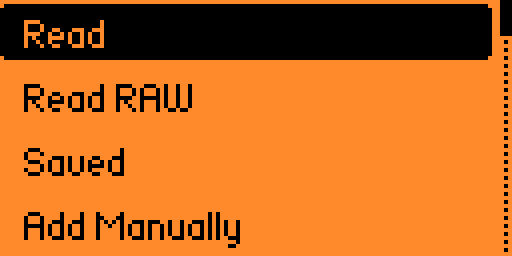
The app lives in Main Menu → Sub-GHz. Its main menu in Unleashed:
| Menu item | What it does | Page |
|---|---|---|
Read | Decode remotes of known protocols, save and send them | Read |
Read RAW | Record the raw signal of any remote and replay it | Read RAW |
Saved | Saved .sub files: Emulate, Rename, Delete, and Signal Settings with Debug on | Read |
Add Manually | Create a brand-new remote with a random serial | Add Manually |
Add Manually [Advanced] | Same, but you type serial / button / counter / seed yourself | Add Manually |
Frequency Analyzer | Find out on which frequency a remote transmits | Frequency Analyzer |
Radio Settings | Internal / external module, TX power, file names, counter step | Settings |
Unleashed
The Sub-GHz app, its protocol library and the Frequency Analyzer come from the official firmware. Unleashed removes the regional TX restrictions, adds extra frequencies and more protocols, lets you save and send many rolling-code protocols, creates new rolling-code remotes that you can register in your receiver (Add Manually), uses arrow keys as extra remote buttons, supports an external CC1101 module and ships extra Sub-GHz apps (Remote Analyzer, Seed Capturer, Nice O-Code, Security+ PIN, Sub-GHz RAW Edit, Sub-GHz Remote).
WARNING
Use these features only with your own equipment or for lawful research.
Getting started
- Find the frequency of your remote — Frequency Analyzer.
- Try to decode it — Read. If it decodes and the protocol is static, save it and you are done.
- If it is a rolling code remote, do not clone it — read Rolling codes and make a new remote with Add Manually + Programming a new remote.
- If nothing decodes, record it with Read RAW.
All pages
Basics
- Frequencies — bands, default lists, region locks and extended range
- Frequency Analyzer — finding a remote's frequency
- Read — decoding, saving and sending signals
- Read RAW — recording raw signals
Rolling codes and new remotes
- Add Manually — every protocol in the menu
- Rolling codes — counter conflicts, custom buttons
- KeeLoq — how KeeLoq works, manufacturer keys and seeds
- Programming a new remote — step by step for each system
- Counter modes — experimental
CounterModefor clones - Signal Settings — counter mode, counter and button of a saved signal
- Supported systems — full protocol table
Configuration and hardware
- Settings — Radio Settings, Read config, user frequencies
- File format —
.sub, presets, user setting files - External CC1101 — external modules and amplifiers
Apps
- Sub-GHz Remote — up to 5 signals on the D-pad
- Sub-GHz Bruteforce — static code brute-force
- Remote Analyzer — decode one remote, extra protocols
- Nice O-Code — recover the installer code
- Security+ PIN — keypad PIN of Security+ 2.0
- Seed Capturer — collect hops for seed recovery
- Sub-GHz RAW Edit — trim, merge and decode RAW files
Field notes
- ZKTeco CMP200 — a Princeton remote in disguise
Where files are stored
| Path | Contents |
|---|---|
/ext/subghz/ | Saved signals (.sub), RAW recordings |
/ext/subghz/assets/setting_user | Your own frequencies, hopper list, custom presets |
/ext/subghz/assets/keeloq_mfcodes_user | Your own KeeLoq manufacturer keys |
/ext/subghz/assets/dangerous_settings | Extended frequency range switch |
/ext/subghz_remote/ | Map files of the Sub-GHz Remote app |
/ext/apps_data/subghz_seed_captures/ | Seed Capturer captures |